⏱ 5-Minute Quick Tutorial
Looking for how to setup iptv firestick in 2026? Setting up your Amazon Fire TV Stick or Smart TV with premium 4K television takes less than 5 minutes. In this complete beginner-friendly tutorial, we guide you through installing player apps like TiviMate and IPTV Smarters, entering your credentials, and optimizing playback for silky-smooth 60 FPS sports and entertainment.
📑 Table of Contents
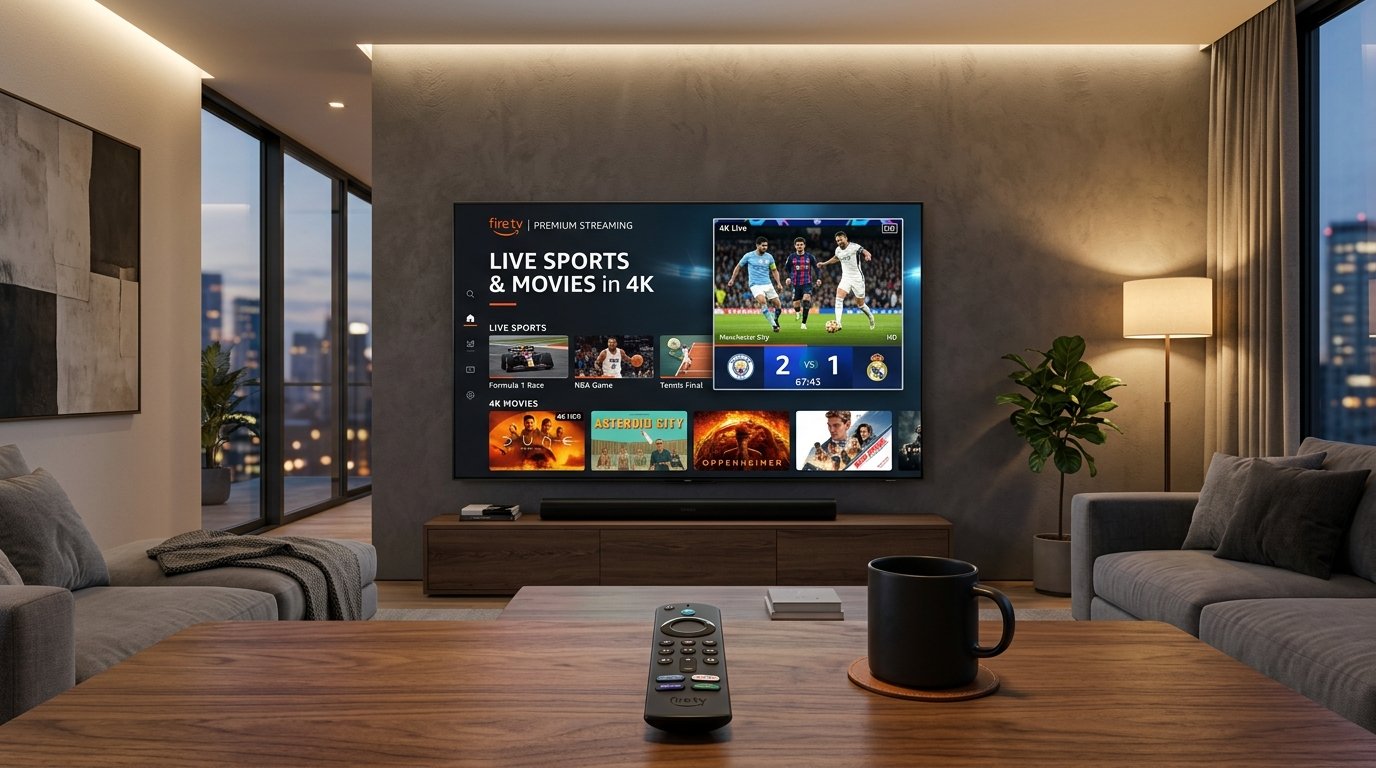
Figure 1: Complete visual walkthrough showing how to setup iptv firestick with TiviMate and IPTV Smarters Pro.
1. Prerequisites & Equipment You Need
Before starting the tutorial on how to setup iptv firestick, ensure you have the following ready:
- Compatible Streaming Device: An Amazon Fire TV Stick 4K or 4K Max, Fire TV Cube, or Android TV box.
- Stable Internet Connection: High-speed Wi-Fi or Ethernet connection (15+ Mbps for FHD, 30+ Mbps for 4K).
- Active IPTV Subscription or Trial: If you don’t have login credentials yet, grab our instant 24h free trial pass to receive your M3U and Xtream login codes instantly.
2. How to Setup IPTV Firestick via Developer Options
Because dedicated IPTV player apps are installed outside the official Amazon Appstore, the first crucial step in how to setup iptv firestick is unlocking Developer Options:
- Navigate to Settings (gear icon on the right side of the Firestick home screen).
- Select My Fire TV > About.
- Highlight your Fire TV Stick name and click the center remote button 7 times rapidly until you see the notification: “No need, you are already a developer.”
- Press back once to return to My Fire TV, and you will now see Developer Options unlocked.
- Click Install unknown apps and ensure permissions can be toggled on.
3. Installing Downloader & IPTV Player Apps
Now that your Firestick is prepared, you can download your preferred IPTV player app. The two gold-standard apps in 2026 are TiviMate IPTV Player and IPTV Smarters Pro:
- Open the Find / Search menu on your Firestick home screen.
- Type Downloader in the search bar and install the orange Downloader app (by AFTVnews).
- Open Downloader and grant storage permissions when prompted.
- In the URL field, enter the direct shortcode for your desired player:
- For IPTV Smarters Pro: enter shortcode
250931and click Go. - For TiviMate IPTV Player: enter shortcode
272483and click Go.
- For IPTV Smarters Pro: enter shortcode
- Click Install when the APK finishes downloading, then click Done and delete the installation file to save precious Firestick storage.
4. Configuring M3U Playlist & Xtream Codes
This step completes the core process of how to setup iptv firestick. Open your newly installed player app and configure your stream feeds:
Recommended: Login with Xtream Codes API
In IPTV Smarters or TiviMate, choose “Login with Xtream Codes API” (preferred for fast loading and full 7-day EPG support):
- Any Name: REFLEXSAT IPTV 4K
- Username: (Provided in your activation email/WhatsApp)
- Password: (Provided in your activation email/WhatsApp)
- Server URL / Portal: (Provided in your activation email/WhatsApp)
Click Add User. The player will download your 25,000+ live channels, electronic program guide (EPG), and 200,000+ VOD movies in less than 30 seconds.
READY TO TEST 25,000+ LIVE 4K CHANNELS?
Experience buffer-free sports, movies, and premium international channels on your Firestick right now.
5. Setting Up on Samsung & LG Smart TVs
If you also have a Samsung Tizen or LG webOS Smart TV, you don’t even need a Firestick! Simply follow these steps:
- Open the Samsung Smart Hub or LG Content Store on your television.
- Search for IBO Player or Nanomid Player and install the app.
- Launch the app to reveal your unique Device ID (MAC Address) and Device Key.
- Send your MAC address to our 24/7 WhatsApp VIP support team, and our engineers will remotely upload your playlist within 60 seconds!
For more comparative insights, check our detailed review on the best IPTV services in 2026 guide covering server benchmarks and anti-freeze reliability.
6. Frequently Asked Questions (FAQ)
Can I learn how to setup iptv firestick without a computer?
Yes! The entire setup is performed 100% on your Fire TV Stick using your remote control and the Downloader app. No PC or USB drive is required.
Which is better for Firestick: TiviMate or IPTV Smarters?
Both are outstanding. TiviMate offers an unmatched, sleek cable-like TV guide interface, while IPTV Smarters Pro is completely free and exceptionally easy for beginners to configure.
What should I do if my IPTV stream freezes on Firestick?
Clear your player app cache in Firestick Settings > Applications > Manage Installed Applications, ensure you are connected to 5GHz Wi-Fi, and contact our 24/7 WhatsApp support for instant line re-routing.